

Step 1: Download the latest version of Telegram Portable from the official website - *https://desktop.telegram.org/* installer.
Step 2: Download the text file. Use the information link obtained from your purchase to download the file via your browser.
Step 3: After downloading, you will receive a compressed .zip folder. You must unzip it.

Step 4: Open the unzipped folder and locate the folder we need, which is "tdata". It also contains a text file with the two-factor authentication password, as described in the product instructions.
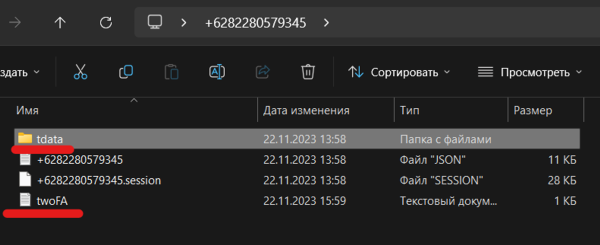
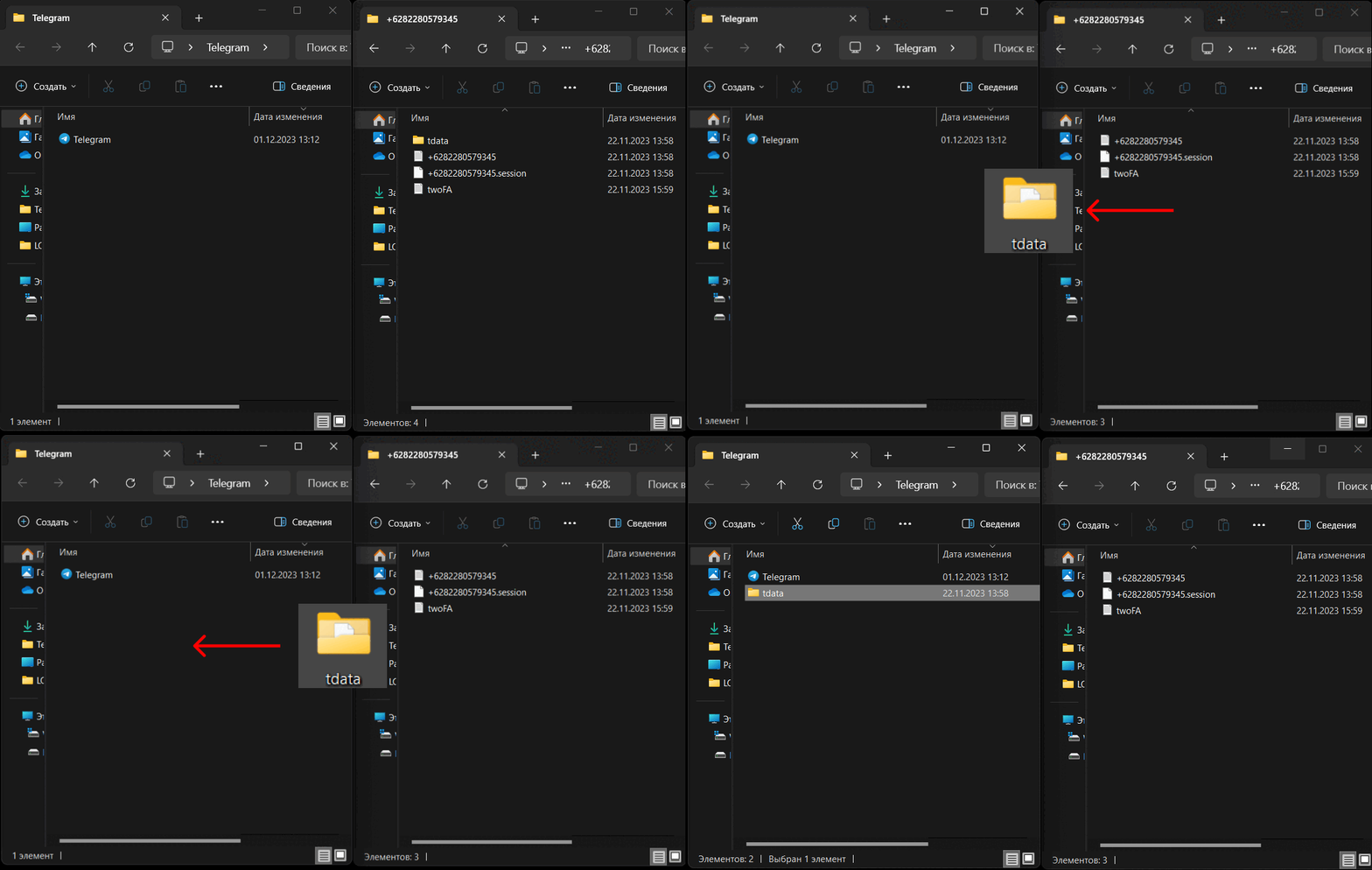
Step 5: Move the "tdata" folder into the Telegram folder. Please note! For stable operation before launching, you must use a high-quality proxy from the same country as the purchased account.
Finally: Run Telegram.exe and check your phone number and two-factor authentication password.
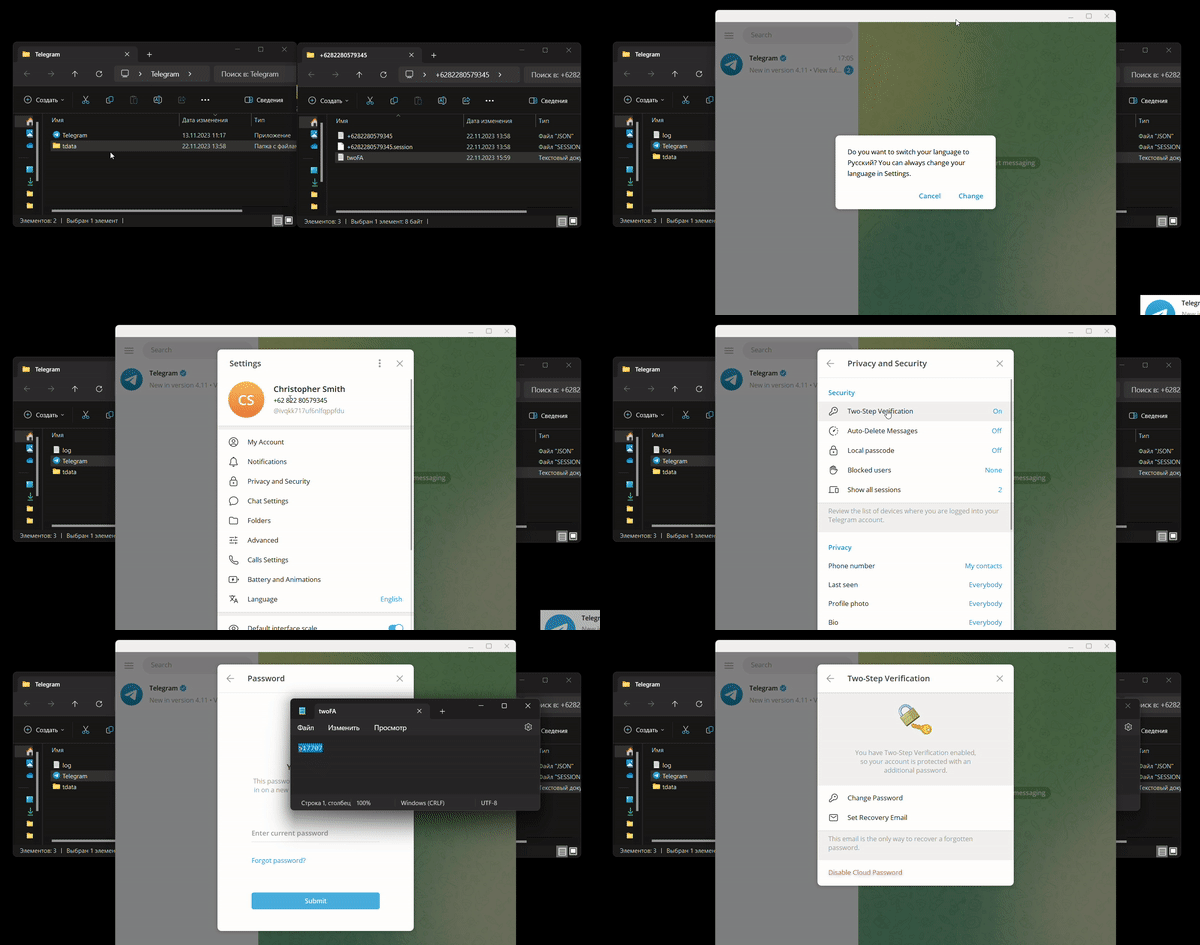
After logging in on the computer, you can use this account's phone number to log in on the mobile app. Select the correct country, enter the number, and submit. You will then see a verification code notification on the computer client indicating a login attempt from another device.
Enter the verification code displayed on the computer into the mobile app to complete the login on your phone.









 1
1



