

In many cases, our Apple ID account is fixed to one country, such as a Chinese Apple ID account. Under normal circumstances, we can download most of the apps we need.
However, sometimes the apps we need are not available in the China region, such as the Hong Kong version of Alipay. In this case, we need to log in to the store with a Hong Kong Apple ID account to download them.
Actually, the solution is quite simple. We can directly register a Hong Kong Apple ID account.
The registration address is: https://appleid.apple.com
Click "Create" here.
Registering a Hong Kong Apple ID is also very simple, but sometimes, due to incomplete information for certain purposes, it may prompt that a Hong Kong phone number or Hong Kong bank card verification is required to use it.
If there is no other way, then change your Apple ID to Hong Kong.
First, log in: https://appleid.apple.com
Then click on "Personal Information" to see the current country.
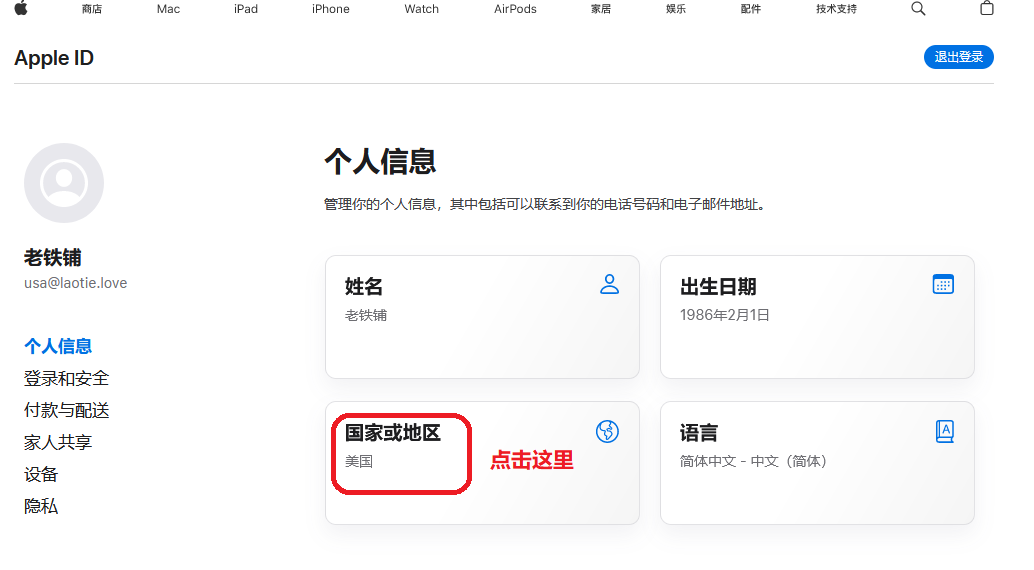
Click on the country area, and a new window will pop up, as shown below:
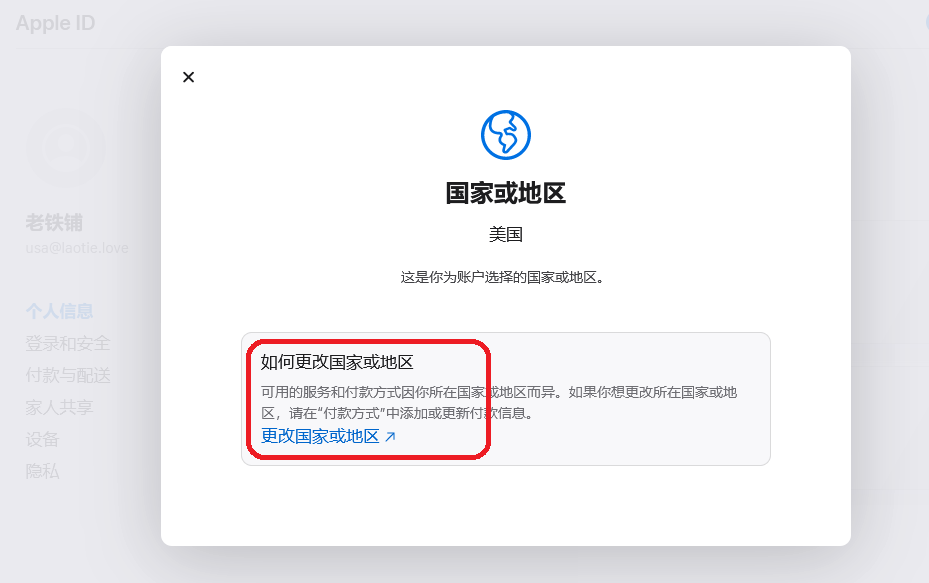
Click "Change Country or Region", and a new window will pop up, as shown below:
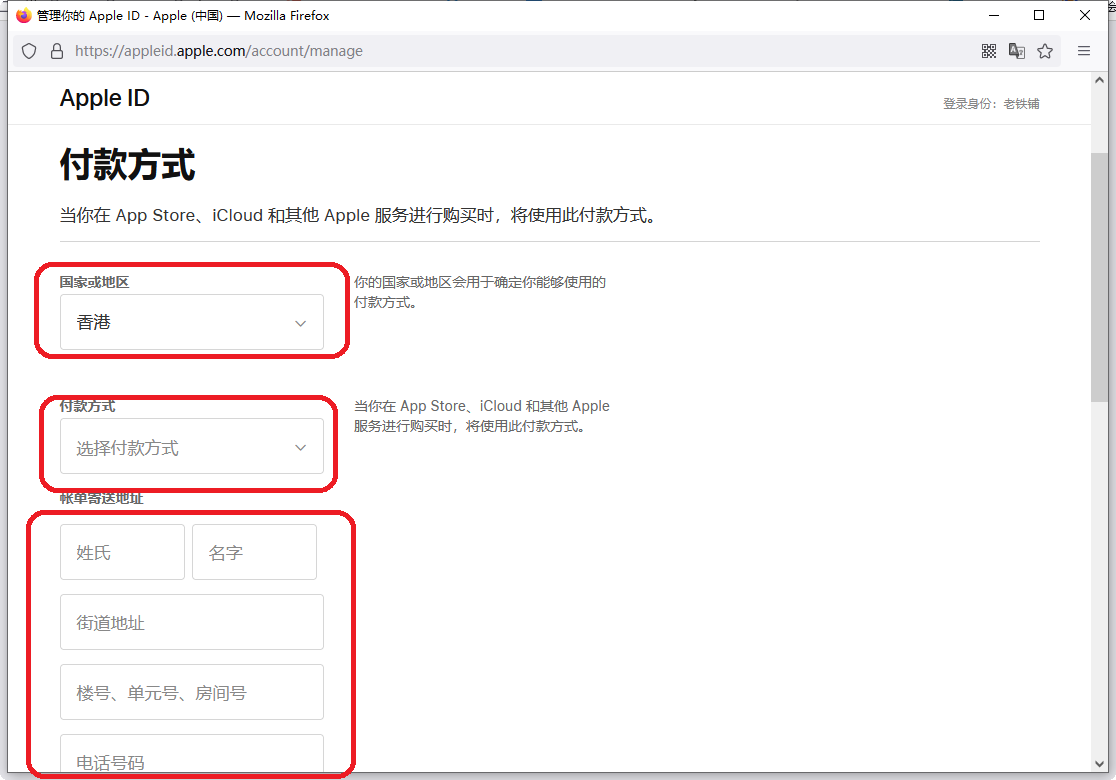
Select the country you need, and choose the payment method you require. If you don't know what to fill in or don't have one, select "None".
Fill in the payment method, billing address, and shipping address completely, then click Save and Update.
If a certain option is incorrect, a prompt will appear; modify it according to the prompt.
If you don't have an address for the relevant country, you can search online. Generally, you can fill in any address. Some countries will verify the format, and if the format is incorrect, it will prompt you.
If you find it troublesome, you can also purchase a ready-made one from our Apple ID sales store.


![美国苹果AppleID共享账号已买Shadowrocket不能改资料[租用] - 成品Apple ID | 独享 | 租用 | APP代购 | 带余额](https://laotie.app/uploads/thumbs/list/w400h225/goods/59edd22d05b9acedae0f15551a73628d.webp)




 1
1



